How to compare two lists and find missing items
Comparing lists answers three different questions: what appears only in the first, what appears in both, and what appears only in the second. Decide what counts as the same item before comparing. A relaxed name match may be useful, while an exact product-code comparison often needs stricter rules.
Open compare two lists →Step by step
Put one item on each line
Open the list comparison tool. In the first list enter apple, pear and plum on separate lines. In the second enter pear, plum and peach. Keep headers out unless you want them treated as ordinary entries.
Choose matching rules
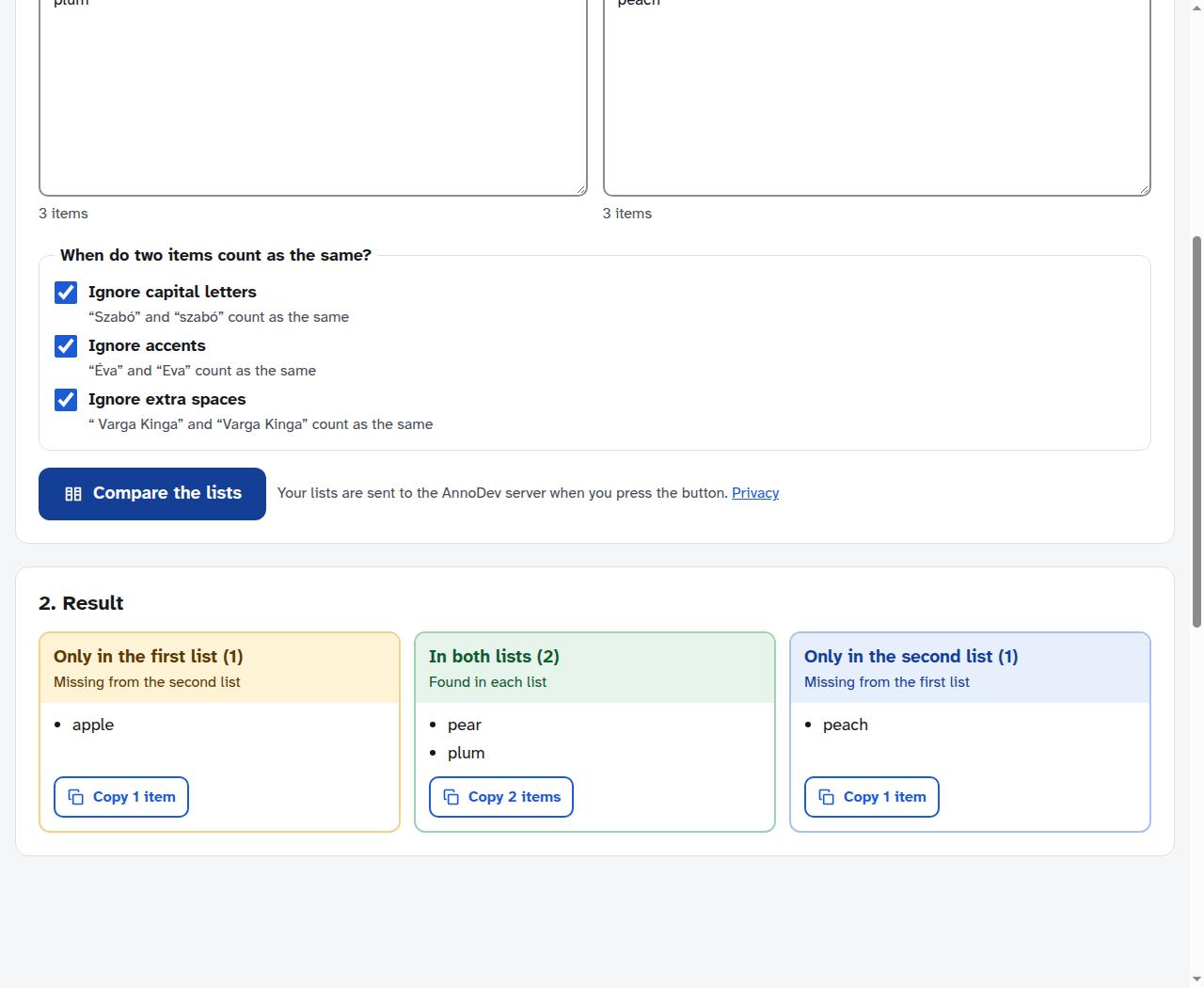
Review “Ignore capital letters”, “Ignore accents” and “Ignore extra spaces”. Turn a rule off when that difference matters. For identifiers or codes, spelling and capitalisation may be meaningful.
Compare and read each column
Press “Compare the lists”. “Only in the first list” means missing from the second; “Only in the second list” means missing from the first. “In both lists” contains their shared entries.
Copy the result you need
Use the Copy button for the relevant column. If the tool says entries matched only because of your rules, inspect those cases. After changing an input or rule, compare again before copying.
A worked example
For apple / pear / plum versus pear / plum / peach, the production tool returned apple only in the first list, pear and plum in both, and peach only in the second. The three column counts were 1, 2 and 1. This example uses ordinary words, not personal data.
Questions and troubleshooting
I need to compare order as well
Choose “Changes line by line” for text where sequence matters. A list-membership comparison and a line-by-line change report answer different questions.
I need to clean one list first
Use “Tidy one list” to remove duplicates or empty lines and adjust spacing. Keep an original copy if repeated entries are meaningful to your task. Removing duplicates changes that information.
The list contains private information
Submitted text is processed by the AnnoDev server. Avoid uploading passwords, confidential records or personal information without an appropriate reason and permission. The JSON and Wi-Fi tools have additional tracking restrictions, but that does not make other inputs local-only.
Ready to try it? Compare two lists is free to use. Files and text you submit are processed on the AnnoDev server.
Browse all practical guides