How to create a static QR code and check it
A static QR code stores its content directly in the pattern. For a website code, that content is the URL you enter. The code does not need an AnnoDev redirect or a subscription to keep its pattern working, but the destination website must remain available.
Open make a qr code →Step by step
Enter the final destination
Open the QR code generator, choose a web address and enter the full HTTPS URL. For a practice code use https://annodev.tools/. Open the destination yourself first and check for spelling mistakes or unwanted redirects.
Keep the pattern easy to read
Use a dark code on a light background and keep the white border enabled. That empty margin helps scanners distinguish the code from nearby printing. Avoid placing text or decorative graphics over the pattern.
Generate and download
Press “Make the QR code”. Choose PNG for a fixed-size image or SVG for a scalable vector file. Use enough resolution for the intended printed size and avoid stretching the code into a rectangle.
Test the actual final version
Scan the downloaded image, then scan a sample of the actual printed design before distributing it. Check the full destination in the scanner preview before opening it. Try another phone and the expected lighting and distance when possible.
A worked example
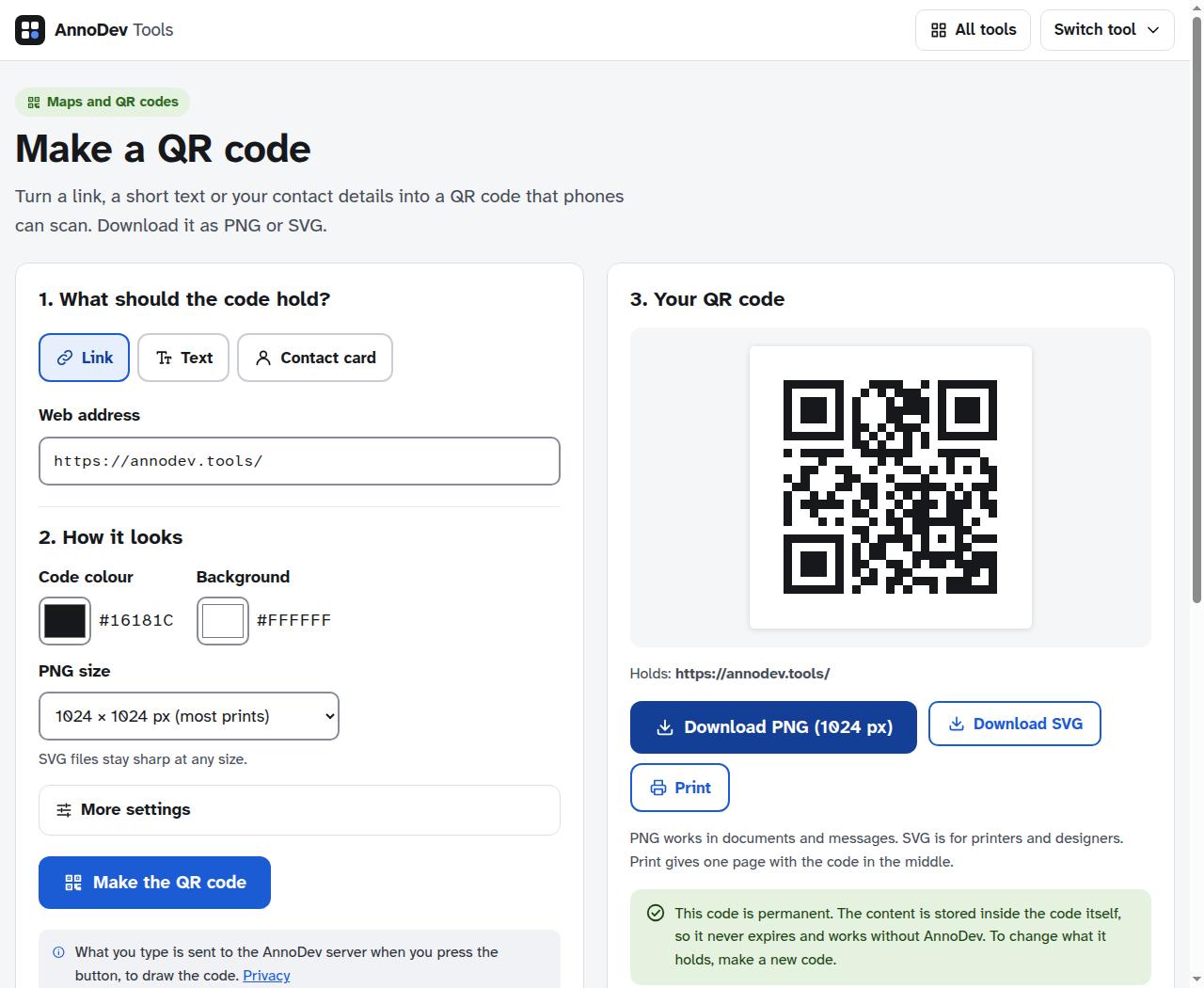
We generated and downloaded a PNG for https://annodev.tools/ using the live tool. The example screenshot shows that code and its download controls. A successful generation is not a substitute for checking a physical print with the phones your audience will use.
Questions and troubleshooting
Can I change the URL afterwards?
The pattern contains the original content, so changing the text in the tool produces a new code. If you control the destination URL, you can change the page it serves. Do not promise that an already printed static code can be edited.
Does the code expire?
The static pattern itself has no subscription expiry. A deleted page, expired domain, changed network or inaccessible destination can still make its link unusable. Keep ownership and hosting of the destination current.
The printed code will not scan
Restore the white border, improve contrast and enlarge the code. Shorter content produces a simpler pattern. Test the exported file rather than a scaled screenshot, and check that printing did not clip its edges.
Ready to try it? Make a QR code is free to use. Files and text you submit are processed on the AnnoDev server.
Browse all practical guides