How to remove location metadata from a photo
A photo can contain hidden GPS coordinates, dates, camera details and names in addition to visible pixels. Removing GPS metadata changes the hidden location fields; it does not hide a street sign, landmark or address visible in the picture. Keep those two kinds of information in mind before sharing.
Open remove photo details →Step by step
Inspect the photo
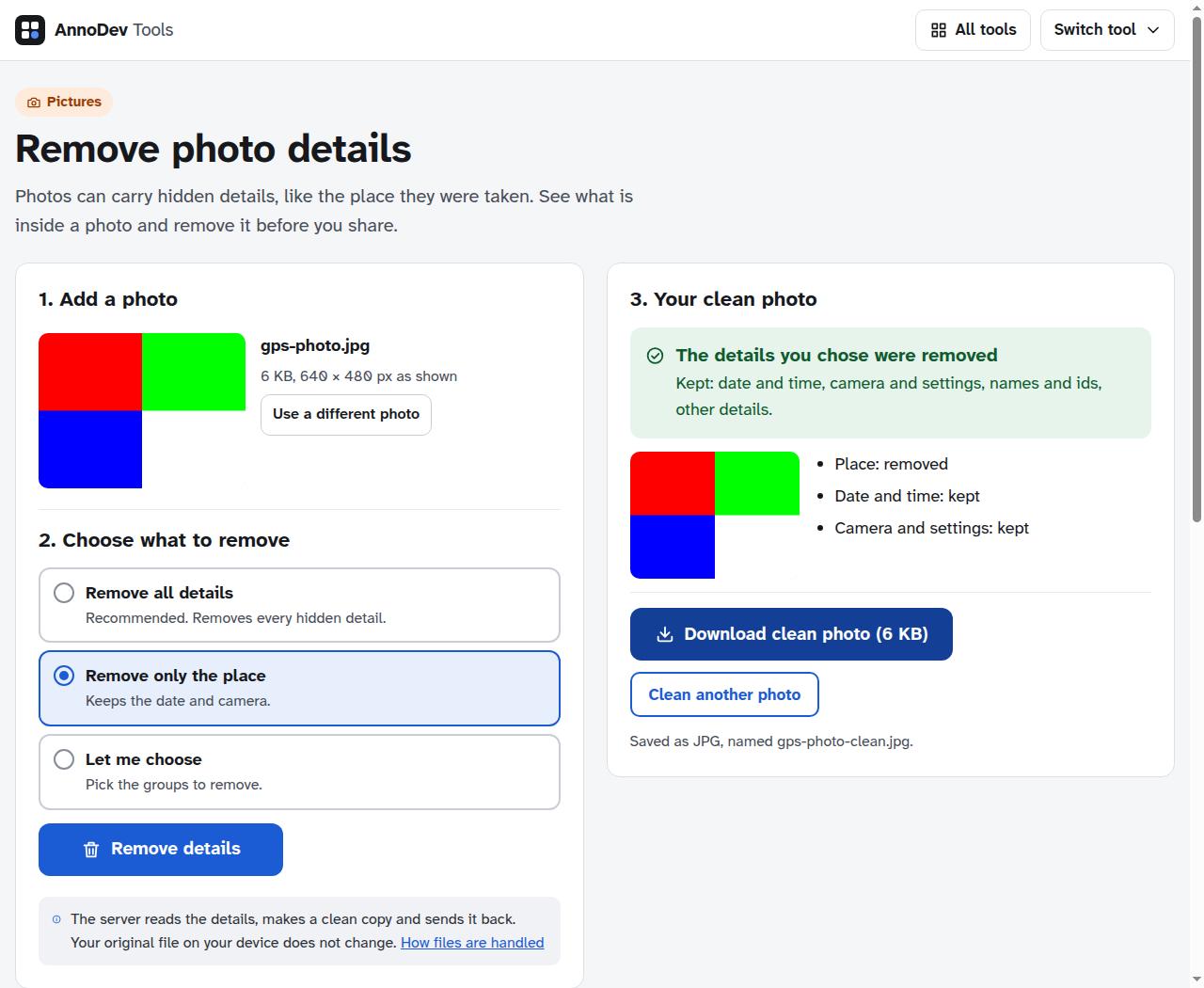
Open the photo metadata tool and add the image. The server reads its metadata and groups the results into Place, Date and time, Camera and settings, and Names and IDs when available. Your original file on your device is not changed.
Choose what to remove
Select “Remove only the place” to remove location while keeping other supported details, or choose removal of all details if you do not need the other fields. Review the “Will be removed” and “Will be kept” labels.
Create and download a clean copy
Press “Remove details”, wait for the result, then choose “Download clean photo”. Open the downloaded image to check orientation and appearance. Share that new file rather than the untouched original.
Inspect the exported copy
Reopen the downloaded file in the metadata viewer to check that location details are absent. For sensitive sharing, also look at the visible image and its filename. Metadata removal is one check, not a guarantee of anonymity.
A worked example
We used a synthetic JPEG fixture containing test GPS and camera tags. The downloaded 640 × 480 image had no GPS metadata, while its camera-maker field remained after “Remove only the place”. We independently inspected the exported JPEG, rather than relying only on the success message.
Questions and troubleshooting
The viewer finds no location
The photo may never have contained GPS metadata, or another app may already have removed it. A place can still be inferred from visible content. Do not add metadata just to test its removal from a personal image; use an example instead.
The image identifies someone visually
Consider whether the photo should be shared at all. Removing EXIF does not remove faces, documents, reflections or landmarks. If you cover an area, inspect the saved image and choose a method appropriate to the sensitivity of the information.
Ready to try it? Remove photo details is free to use. Files and text you submit are processed on the AnnoDev server.
Browse all practical guides